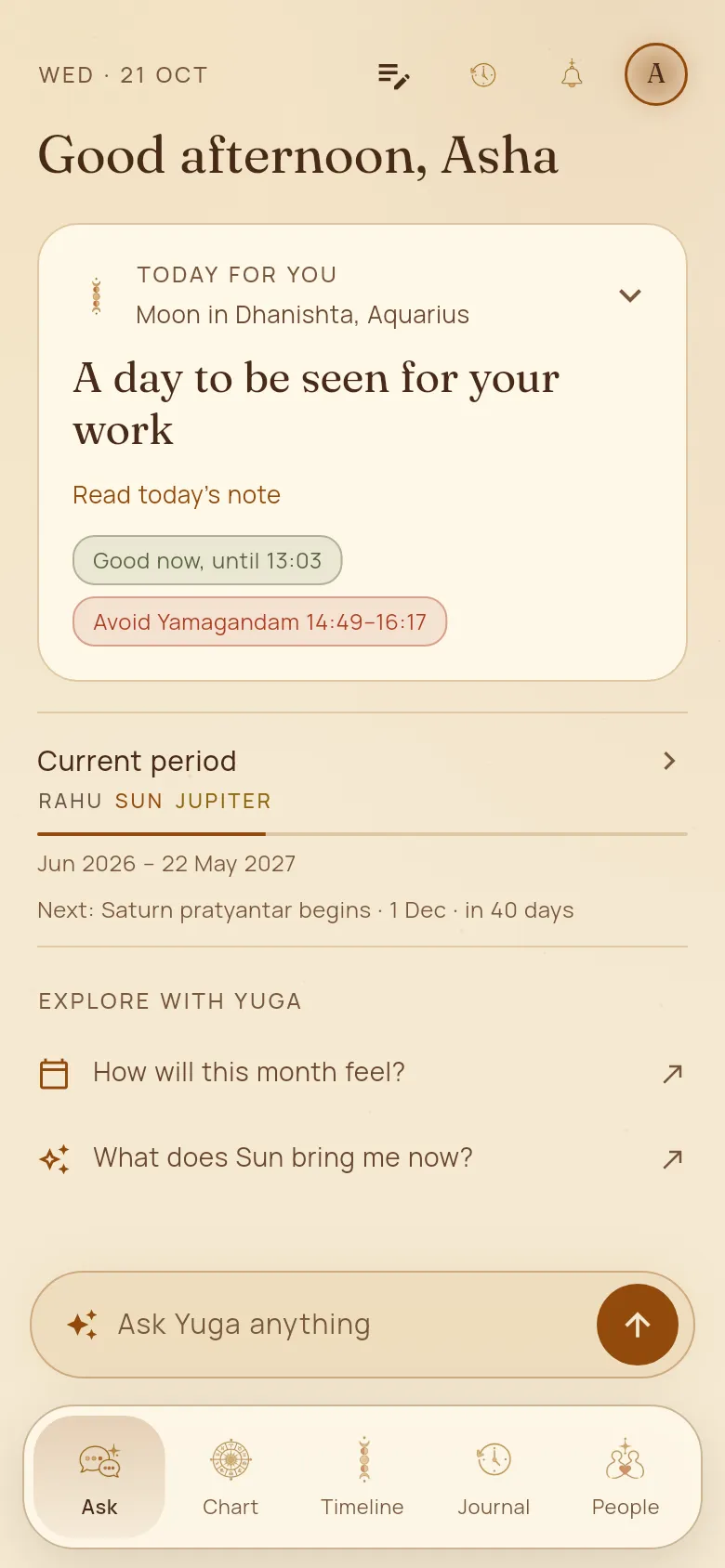
Today, at a glance
Yuga opens on your day: what kind of day it is for you, when the good hours fall and which hours to avoid, and the chapter of life you are in.
How to use it
- 1Open Yuga. The card at the top, “Today for you”, says what stands out for you today.
- 2Tap “Read today’s note” for the whole note: what to lean into and where to go easy.
- 3The small labels under it show today’s good hours and the hours to avoid (Rahu kalam, Yamagandam and the like), for the place you are in.
- 4“Current period” shows the dasha you are in and when the next one begins. Tap it to open your timeline.
Good to know
- Tap the bell at the top to choose your alerts, such as a morning note, good hours, and changes in your periods or in the sky.
- The questions under “Explore with Yuga” change with your day. Tap one to ask it.