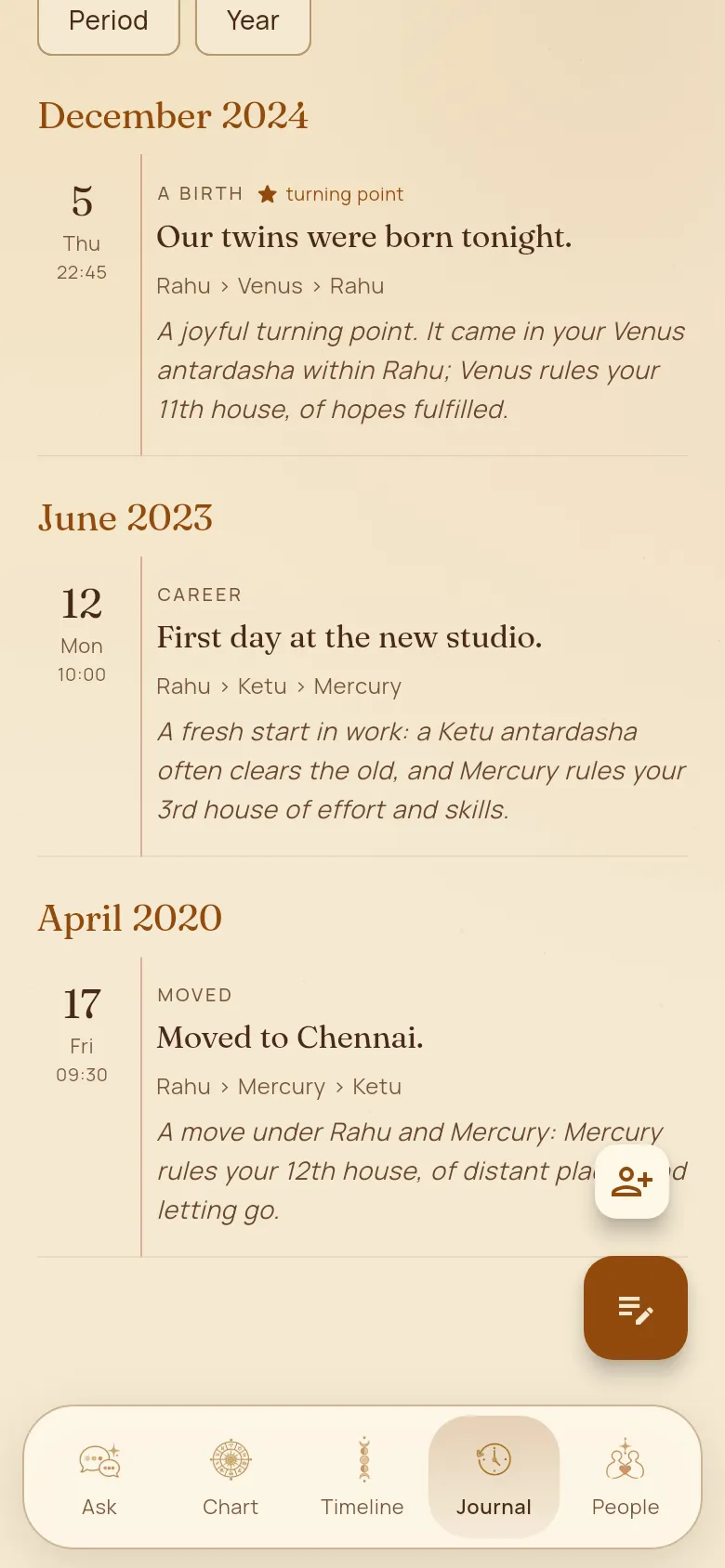
Journal
Note the moments of your life. Yuga shows the period each one fell in and how it fits your chart, so over time you see your own patterns.
How to use it
- 1Open the Journal tab and tap the note button to add an event: what happened, the date and, if you know it, the time.
- 2Mark the moments that changed your life as turning points.
- 3Each entry shows the dasha periods running then and a short note on how it fits.
- 4Search, filter and sort your journal, and switch between the Period and Year views.
Good to know
- You can also note an event from the Ask screen, with the note button at the top.
- Your dated events help Yuga check your birth time. See Check my birth time.