I met someone
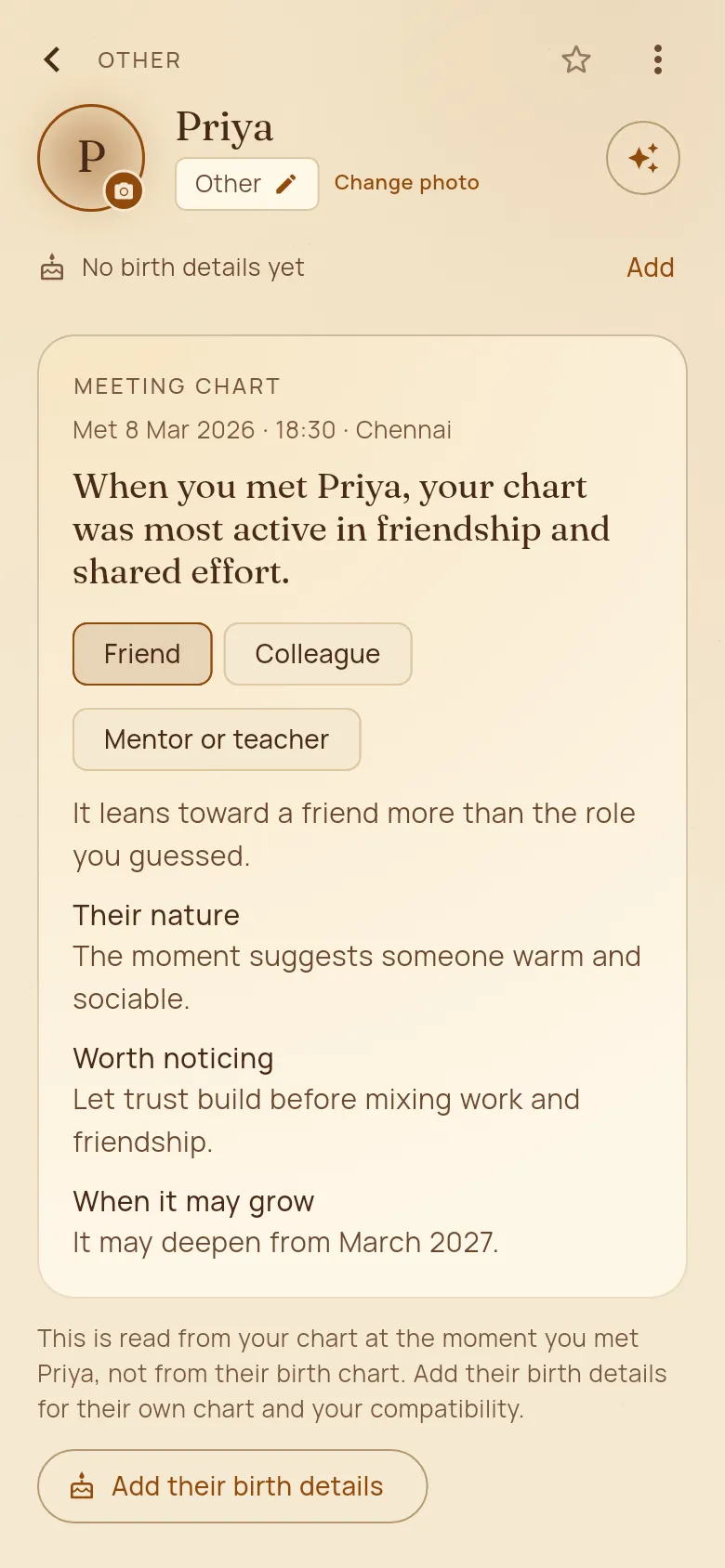
Met someone new and wondering where it leads? Yuga reads your own chart at the moment you met: what kind of person the meeting brought in, and when it may grow. You don’t need their birth details.
How to use it
- 1In the Journal, tap “I met someone”.
- 2Add their name, the date, the time if you know it, where and how you met, and what you think they might become: friend, partner, colleague, mentor and so on.
- 3Tap “Read this meeting”. They join your People, and their page shows the Meeting chart: the roles the moment points to, what to notice, and when it may grow.
- 4When you learn their birth details, tap “Add their birth details” for their own chart and your compatibility.
Good to know
- With the time of the meeting, Yuga can also read the moment itself for clues to their nature.
- The Meeting chart is read from your chart, not theirs.